Carousel, Single Image or Video: Which Post Format to Use
Use a single image for one message, like an offer or an announcement. Use a carousel when the post has steps, a list or a before and after. Use a video when movement tells the story, or when you want to reach people who don't follow you yet on Reels, TikTok or YouTube Shorts. Most small businesses do best with a mix, weighted towards the formats they can make every week.
Which post format should you use?
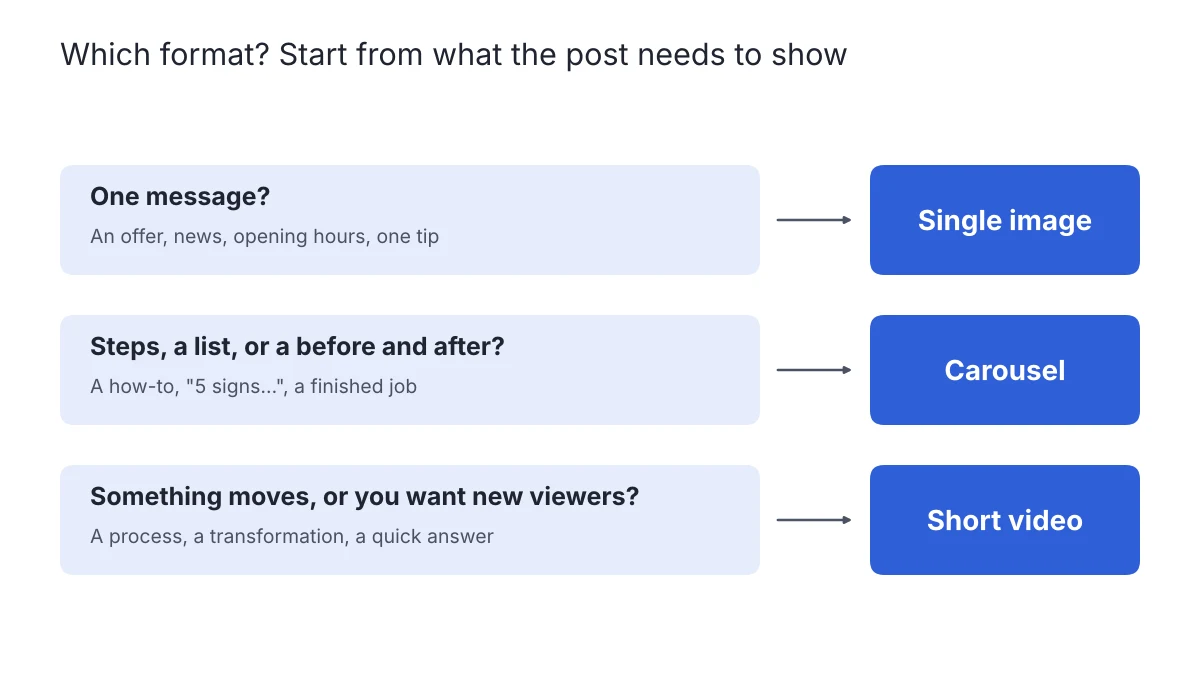
| Format | Best for | Effort | Where it posts |
|---|---|---|---|
| Single image (poster) | Offers, announcements, one tip | Low | Instagram, Facebook |
| Carousel | Steps, lists, before and after, mini guides | Medium | Instagram, Facebook |
| Short video | Showing a process, reaching new people | Higher | Reels, TikTok, YouTube Shorts, Facebook |
| Text post | Quick updates and questions | Lowest |
When is a single image the right choice?
When the post has one message. An offer, opening hours, a new service, or one tip all fit on a single image with a short headline. Keep it to one idea that can be read in a couple of seconds, and let the caption carry the detail.
Single images are also the easiest format to keep up, which makes them the backbone of a consistent posting schedule.
When should you post a carousel?
When the idea has parts. "Five signs your boiler needs a service", "How we prepare a wedding cake" or a before-and-after of a job all work better spread across slides than squeezed into one image. Instagram allows up to 20 photos or videos in one post (MacRumors), but most carousels don't need anywhere near that many.
- Slide 1 is the hook: a headline that makes people swipe.
- One point per slide, in the same layout each time.
- The last slide says what to do next: book, call, visit or save the post.
- Five to eight slides is plenty for most topics.
When is video worth the extra effort?
When something moves or changes on screen, or when you want reach beyond your followers. TikTok and YouTube Shorts are built around short vertical video (YouTube Help), and Instagram shows Reels to people who don't follow you yet. A process, a transformation or a quick answer to a customer question all work well.
Video takes the most effort to make, so it's the format that tends to drop first when a week gets busy. One video a week that keeps going beats five that stop after a month. A tool that turns a short description into a finished video, like VideoContent's business videos, takes most of that effort away.
What's a good weekly mix?
Start with something like this for five posts a week, then shift it towards whatever your audience responds to:
| Post | Format | Example |
|---|---|---|
| Monday | Single image | This week's offer or news |
| Tuesday | Carousel | A how-to or a list from your expertise |
| Wednesday | Short video | Behind the scenes or a quick tip |
| Thursday | Single image | A customer question, answered |
| Friday | Single image | Weekend hours or a reminder to book |
Keep every format in the same colours and fonts so the feed still looks like one business; our guide to a social media brand kit covers how.
Can one tool plan all the formats?
Brand Studio plans a mix of posters, carousels and videos each week in your brand. Posters and carousels go to Instagram and Facebook. Videos also go to TikTok and YouTube, and Facebook gets text posts too. You choose how many posts a week each platform gets, approve the plan, and it posts on schedule. Premium and Agency include 10 Business videos a month for the video slots.