Best AI Faceless Video Maker: A Small Business Checklist
Key takeaways
- "AI video generator" covers four different kinds of tool, so the best faceless video maker depends on the job you need done.
- A generated draft is a starting point: plan 15 to 30 minutes per video to fix clips, pronunciation and captions.
- Before paying, check what a failed or rejected generation costs. Retries on credit plans can multiply your real price per video.
- Free options split into free editors like CapCut, where you do the work, and generator free tiers, which are samples with a watermark.
- Skip an AI generator when the video depends on your face, your premises or footage you already shoot.
The best AI faceless video maker depends on the job: daily clips for your business, a faceless YouTube channel or cutting down footage you already have. "AI video generator" covers four different kinds of tool, so head-to-head rankings often compare things that do different jobs. This guide gives you a selection checklist, a realistic workflow and an honest look at where our own tool falls short.
What is an AI faceless video maker?
An AI faceless video maker turns a topic or script into a finished vertical video with no camera and no face on screen. It writes or takes your script, adds visuals, a voiceover, captions and music, then exports a clip ready for TikTok, Reels or YouTube Shorts. If you run a med spa or restaurant and need regular posts without an editor, this is the category to look at.
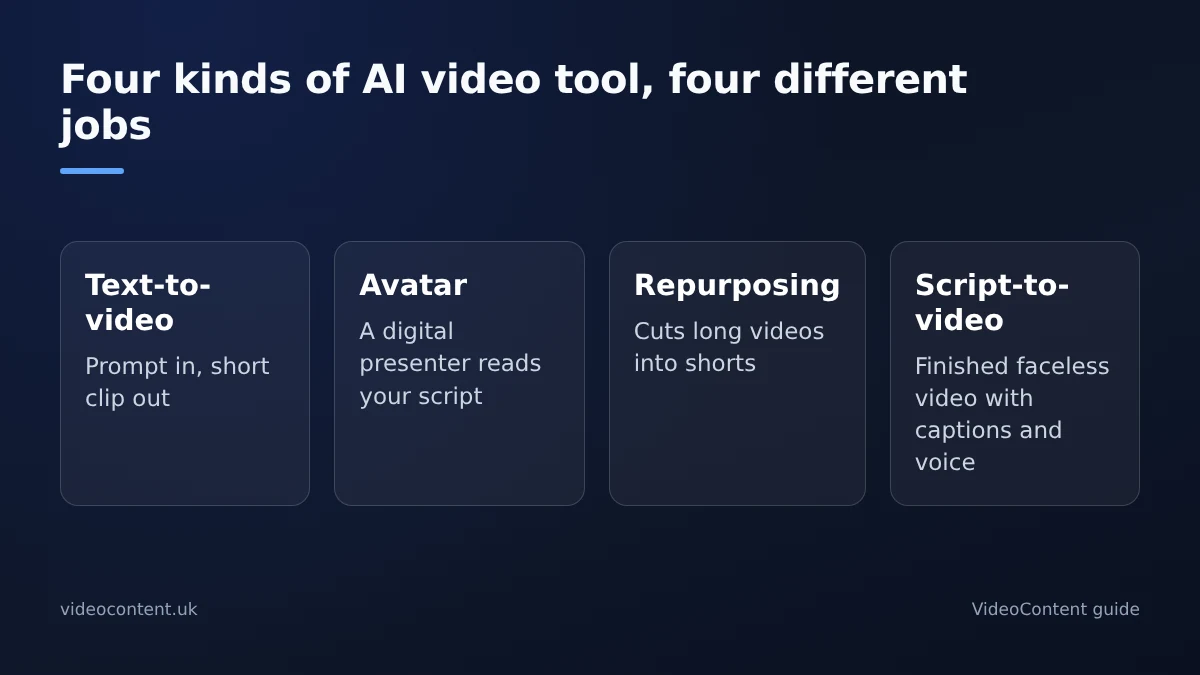
The four kinds of tool people lump together
Text-to-video generators turn a prompt into a short clip. Avatar tools have a digital presenter read your script. Repurposing tools like OpusClip cut long videos or podcasts into shorts. Script-to-video makers, the category this guide covers, produce a complete faceless video. A glowing review of one kind tells you little about the others.
What the pipeline does
There are four stages: a script, usually hook-first because the first two seconds decide whether people keep watching; visuals matched to each line; a voiceover; and burned-in captions, because much short-form viewing happens with the sound off. The output is a 9:16 vertical file. The weak spot is generic-looking visuals, so a tool that lets you steer or replace them gives better results.
How do you make a faceless video with AI, step by step?
Step 1: write the hook before you open a tool
"3 gym mistakes that wreck your knees" beats "gym tips". The hook decides whether the video gets watched; the tool only decides how fast you make it.
Step 2: generate, then fix
Treat the first render as a draft. Swap any visual that doesn't match its line, fix words the voiceover mispronounces (brand and treatment names are common casualties), and keep captions to a few words per screen. Expect a regeneration or two, and allow up to an hour each for your first few videos while you learn what the tool gets right. Once you know its habits, 15 to 30 minutes per video is realistic.
Step 3: check it on a phone
Watch the export on your own phone before posting. Text that looked fine on a monitor is often hidden behind TikTok's or Instagram's buttons.
Which tools are genuinely free?
Free options fall into two groups: free editors where you do the work, and generator free tiers that are really samples.
| Tool | What free gets you | The catch |
|---|---|---|
| CapCut | A full editor with free exports | You edit everything yourself |
| Submagic, OpusClip | Limited free use for captions or clips | Usually a watermark and caps; needs your footage |
| VideoContent | 3 script generations and 1 video, no card | The free video carries a small watermark |
CapCut is the usual free answer, but it doesn't write or generate the video. That's fine for one Reel a week and slow for daily posting. Competitor limits change often, so check each tool's plan page on the day you sign up.
Watch for credit pricing
On credit plans, a rejected generation usually costs the same as one you keep. Before you commit, work out the cost per finished video, including retries, not just the monthly price. Flat monthly plans are easier to budget when your volume is predictable.
How should you judge a review before you buy?
- Did the reviewer generate real videos, or just read pricing pages?
- Does it say which of the four kinds of tool it is judging?
- Does it show the watermark, export limits and how much fixing each video needed?
- Does it keep caption tools and repurposing tools separate from full generators?
- Did the reviewer apply the same test to their own product?
The last question is the filter. A review that grades competitors on watermarks and pricing but skips those questions for its own tool is an ad.
The same checklist, applied to VideoContent
The free plan gives 3 script generations plus one Standard video with a small watermark, and no card is needed. Starter at $9 a month removes the watermark and makes scripts unlimited, Pro at $19 adds unlimited Standard videos, and scheduled posting is on Pro+ at $39 (pricing). Where it falls short: one free video is a thin test, and it doesn't cut long recordings into clips the way OpusClip does.
Which kind of tool fits your business?
Local businesses: repeatable formats
A med spa, gym, salon or restaurant needs the same few formats again and again: quick tips, answers to common questions, offers and behind-the-scenes moments. If you already film on your phone, a caption or clipping tool shows your real staff and premises. If you will never film, a generator fits. VideoContent is built for that case: describe your business, get a captioned vertical video with a voiceover, and a Standard render finishes within 60 seconds. See starting points for restaurants and other local services.
Faceless channels: volume and scheduling
A faceless YouTube or TikTok channel is a volume game. You need steady generation, scheduled posting and pricing you can predict. VideoContent's faceless channel automation covers that, and our faceless channel tool comparison sets it against the alternatives. Compare cost per finished video, not just the monthly price.
When is an AI faceless video maker the wrong choice?
Skip it in three cases. If the video depends on your face or premises, like a treatment-room walkthrough or a property tour, film it on your phone; a template can't fake that trust. If you already edit comfortably in CapCut, a generator adds a step rather than saving one. And if your niche needs original footage, stock-style visuals start to look generic quickly.
Where these tools do fit: scripted lists, tips and explainers, where the captions and voiceover carry the message and nobody expects to see you on camera.
How do you turn it into a daily posting system?
Batch once a week
Block out about 45 minutes, say Monday morning, and make five to seven videos in one sitting: same niche, different hooks. Then schedule one a day across TikTok, Reels and Shorts, either natively in each app or with a scheduler. On VideoContent, unlimited Standard videos are on Pro and scheduled posting is on Pro+.
Track what gets watched
Each week, check average watch time, how many viewers stay past the first three seconds, and saves. Make more of the hooks that hold people. AI-only feeds can start to feel templated, so mix in an occasional phone clip of your real business. If you monetize on YouTube, keep every video distinct: its monetization policies reject mass-produced, near-identical uploads.
FAQ
Can I post AI faceless videos to YouTube Shorts without being flagged?
Yes, if each video is original and worth watching. YouTube allows AI tools but rejects reused and mass-produced, near-identical uploads. Vary scripts and hooks, fix mismatched visuals and pronunciation, and disclose realistic synthetic content where YouTube requires it.
How much does a faceless channel cost per month with AI?
On VideoContent, Starter is $9 a month for unlimited scripts without the watermark, Pro is $19 for unlimited Standard videos, and Pro+ is $39 with scheduled posting. On credit-based tools, work out the cost per finished video including retries.
Do faceless videos need a human voiceover to perform well?
No. Much short-form viewing happens with the sound off, so captions carry the message, and AI voiceovers work for lists, tips and explainers. A templated look is the bigger risk; mixing in occasional real footage helps.
Is an AI faceless video maker worth it if I already use CapCut?
Usually not if you enjoy editing. CapCut's free app covers clips, captions and effects. A generator earns its cost when you will never film, or when daily posting makes manual editing too slow.
How long does one AI faceless video take to make?
Plan on 15 to 30 minutes once you know the tool, and up to an hour for your first few. The render itself is quick; the time goes into fixing visuals, pronunciation and captions.