Instagram Reels Music Not Available for Business Accounts
Instagram blocks most licensed and trending audio on business accounts because commercial accounts need music cleared for business use, and the popular tracks you hear in Reels are licensed for personal accounts only. You can fix this by switching to a creator account, using royalty-free audio Instagram flags as business-safe, or adding original sound. This guide walks through each option, the trade-offs, and a checklist so you pick the right account type instead of switching blindly.
It comes down to licensing
Instagram reels music not available for business account users comes down to licensing. Meta only holds music rights for personal, non-commercial use, so business accounts get a restricted library of royalty-free tracks instead of the full catalog of popular songs. A creator account is treated as personal use, which is why trending audio shows up there and stays greyed out on yours. Instagram states this directly in its Help Center guidance on music for professional accounts.
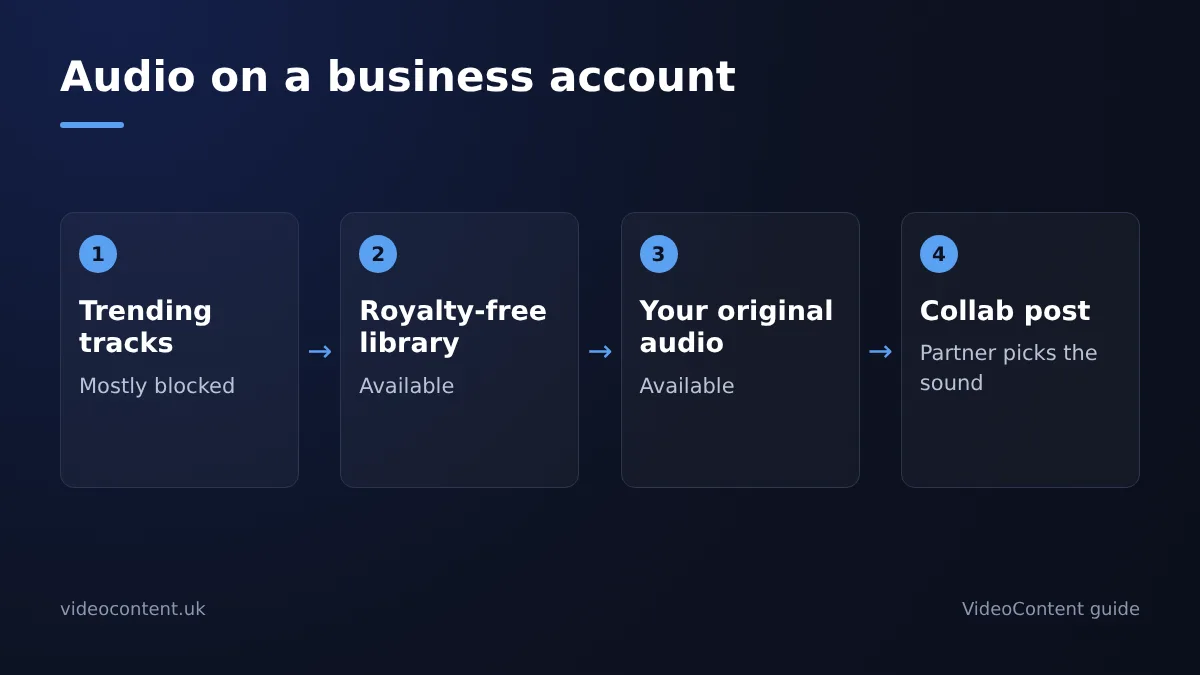
The practical result: you can still post Reels, add captions, and schedule content, but you cannot tap the sounds your competitors are riding. Some owners switch account types to get the audio back; others keep the business account for the insights and shop features and work around the music library. Both paths are covered below.
Business vs creator: what's in each audio library
Business accounts get a trimmed audio library: licensed commercial tracks plus Meta's royalty-free collection. Creator and personal accounts get the full library, including most trending audio. That gap is the whole problem.
What the royalty-free library on a business account actually contains
Meta's royalty-free collection is generic production music: unnamed artists, no charting songs, few recognizable hooks. It is cleared for commercial use, which is why it is the only safe default on a business account. Trending sounds, original audio from other accounts, and most popular tracks stay greyed out.
| Audio type | Business account | Creator/personal account |
|---|---|---|
| Trending/popular licensed tracks | Mostly blocked | Available |
| Original audio from other Reels | Blocked | Available |
| Meta royalty-free library | Available | Available |
| Your own uploaded audio | Available | Available |
If a sound matters to your Reel, record your own voiceover or use original audio you have rights to. Then schedule the Reel to post at your best time with a scheduler like our TikTok and Reels scheduler, so the audio choice, not the posting time, is the only variable you fight.
The rules behind the restriction
Instagram's music library is built on licensing agreements with record labels, and those deals cover personal, non-commercial use only. Meta's own Music Guidelines say you may not use music on its products for commercial or non-personal purposes unless you have the rights. That is why mainstream tracks appear greyed out: the labels have not sold Meta a licence for commercial use of those recordings, so the platform blocks them for anyone flagged as a business.
A creator account sits on the personal side of that line, which is why the full library opens up the moment you switch. The trade-off is that you are now playing commercial tracks as a business without the rights to do so, which is a legal exposure question, not just a settings question. Original audio, royalty-free tracks, and licensed-for-business sound files are the safe categories for commercial use, and they are what a compliant Reels workflow should be built on.
Switching account types safely
Instagram keeps your posts, Reels, followers, and past insights intact when you change account type. Go to Settings → Account type and tools → Switch to professional account, then choose Creator. Your content and audience don't move; only the features attached to the account change. Take a screenshot of your current insights first, since some historical view counts can display differently after the switch.
What you lose when you switch to creator
You lose contact buttons (call, email, directions), the category label on your profile, and some ad tools tied to business accounts. If you run ads through Meta Ads Manager rather than the app, that still works, but boosted posts from the Instagram app get limited. Local businesses that rely on the "Get Directions" button should test whether the switch hurts walk-ins before committing. If you post Reels daily and never edit them yourself, the account type doesn't change your production workflow; see our comparison of AI business video tools.
How to switch back if a trend dies down
The switch is reversible. Return to Settings → Account type and tools and tap Switch to business account. Your insights history and followers carry over both ways, so you can use trending audio for a campaign month, then switch back for ad season.
Three legal workarounds
You can't unlock the greyed-out songs on a business account, but five legal routes still get trending-style audio into your Reels: original audio, licensed tracks, creator collabs, voiceover, and royalty-free libraries. Here are the three that matter most day to day.
Use original audio recorded in-app
Film with sound on: your gym floor, your kitchen, your treatment room. Original audio recorded in-app carries no licensing restriction, and if the Reel takes off, other accounts can remix your sound, which spreads your reach. Name the audio with your business name so the credit travels with it.
Collab with a creator account to borrow their audio access
This is the workaround worth quoting. Invite a creator-account partner as a collaborator on the Reel using Instagram's Collab tag, and the post appears on both profiles. The creator picks the trending audio from their account's library, and because it is one shared post, your business account never touches a restricted track. You trade nothing but a tag: they get your audience, you get their audio access and theirs. Pick a partner whose followers overlap your local customer base, a nearby fitness creator for your gym, a local foodie for your restaurant, and agree on posting cadence before you start. If you would rather not coordinate collabs every week, a script-to-video tool like VideoContent writes the hook and captions and renders a voiceover, so the audio comes from you, not from a restricted library.
Add voiceover or licensed music before uploading
Record a voiceover in-app over muted footage, or drop royalty-free music into your edit before upload. Check the Instagram Help Center for what stays intact when you later switch account types, since insights history matters if you move to a creator account for full audio access.
What you lose in reach
Restricted audio costs views, but mostly indirectly. Trending sounds feed Instagram's recommendation engine: when you use a sound that's spiking, your Reel can surface in that audio's feed and get pushed to people who watched other Reels on the same sound. A greyed-out library means you're picking from licensed commercial tracks that nobody is currently searching or scrolling through, so you lose that discovery channel.
The bigger cost is hooks. A trending sound in the first three seconds buys you watch time from people who already like that audio. With commercial music, your hook has to do all the work through visuals and captions.
Honest caveat: plenty of Reels go viral with original voiceover and zero music. If your content is genuinely useful, the audio restriction slows discovery, it doesn't kill it.
Keep business, or switch?
Stay on business if you run ads or need contact buttons
Keep the business account if your Reels feed is a storefront, not a growth channel. Business accounts get contact buttons, category labels, address display, and ad eligibility for boosted posts and campaigns, all managed from the professional dashboard. A restaurant taking reservations, a med spa booking appointments, or a home-service crew running local lead ads loses real functionality by switching.
Switch to creator if reach is your only goal
Switch if you have no ad budget, no booking link, and no staff inbox to manage. Creator accounts get the full trending audio library and the same insights, and you can switch back anytime without losing posts.
The honest middle path: run both. Keep the business account attached to your ad account and website link, and post organic Reels from a creator account where trending audio works. It doubles your posting workload, which is why scheduling tools exist, but it keeps ads and reach from fighting each other.
Posting daily without editing
The last item on your workaround checklist is volume. Even a legal trending-audio strategy fails if you can only ship two Reels a week, because daily posting is what trains the algorithm and keeps your salon or gym in front of local feeds.
An AI short-form video generator fills that gap. VideoContent turns a prompt or a script into a vertical Reel with a hook, captions, and a voiceover in under 60 seconds, so you can batch a week of posts between appointments. Free covers 3 script generations with no credit card; finished videos start on Pro at $19/month and scheduled posting on Pro+ at $39/month (plans), so clips can go out while you are on the treatment table or a job site.
Where it falls short: it generates video rather than editing your own footage, so it will not clip your existing camera roll the way OpusClip or SendShort do, and it does not license commercial trending audio for you. Pair it with the workaround checklist above: original audio or licensed tracks on the account side, generator for the clips you would otherwise never film.
FAQ
Can I get the full music library on a business account without switching?
No. The restricted library is tied to the account type itself, so greyed-out tracks stay greyed out no matter which settings you change. Your legal routes are original audio recorded in-app, royalty-free tracks from Meta's collection, voiceovers added before upload, or a Collab post with a creator account who picks the trending sound from their own library.
Why does my business account only show royalty-free music on Reels?
Meta's licensing deals with record labels cover personal, non-commercial use only. A business account is flagged as commercial, so the platform restricts it to tracks cleared for business: Meta's royalty-free collection plus licensed commercial tracks. Trending songs and original audio from other Reels fall outside those agreements, which is why they never appear in your audio picker.
Will I lose my followers or posts if I change my account type?
No. Switching between business and creator keeps your posts, Reels, followers, and insights history intact. What changes is the feature set: you give up contact buttons, the category label, and some in-app ad tools on a creator account. Screenshot your current insights first, since some historical view counts can display differently after the switch.
Is it against Instagram's rules to use trending audio on a business account?
Yes, effectively. Meta's Music Guidelines require commercial accounts to use music cleared for business use, and popular tracks are licensed for personal accounts only. The app blocks them on business profiles, and switching to creator just to use them puts you on the wrong side of that licence line. Original audio and royalty-free tracks are the compliant options.
Do hashtags and audio matter more for Reels reach in 2025?
Audio carries more weight than hashtags. A spiking sound can surface your Reel in that audio's feed and push it to people who watched other Reels using the same track, which is a discovery channel a blocked library closes off. Hashtags still help categorisation, but a strong hook in the first three seconds does more work than either.